
cccAlert
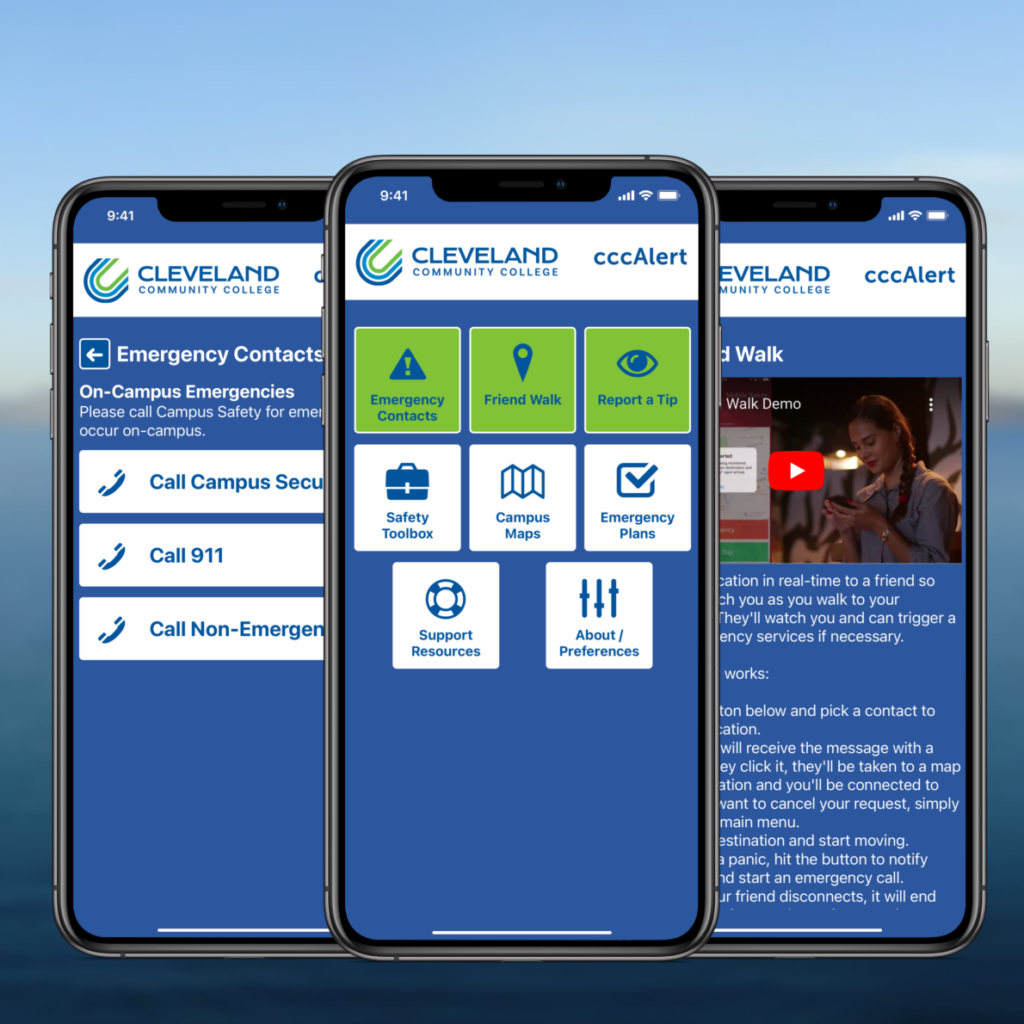
What is cccAlert?
The cccAlert App is Cleveland Community College’s primary way to:
- provide other critical information
- send inclement weather announcements
- communicate during an emergency
How Do I Sign Up?
Click the appropriate link below to watch a video on how to sign up for cccAlert.


CCC Emergency Procedures
- Call 911 if the emergency is life-threatening.
- Use cccAlert to report a non-life-threatening medical situation.
- Leave the area, close the door, and pull the fire alarm.
- Evacuate the building.
- DO NOT use elevators. Use the stairs only.
- Emergency siren will sound (outside).
- Receive announcement through cccAlert.
- Seek shelter immediately.
- Move to lower level in building.
- Move to interior area of building (hallways/rooms).
- Avoid windows, skylights, doors, and glass.
- Use cccAlert to report suspicious behavior.
- Give as many details about the person and/or situation as possible.
- If you can safely take a photo with your phone, submit it through cccAlert.
If you see or know that a person has a firearm on campus, report it through cccAlert.
RUN
Try to leave the area if you can do so safely.
HIDE
If you cannot safely leave, find a place to hide where the shooter is less likely to find you.
FIGHT
As a last resort, and only when your life is in danger, attempt to disrupt and/or disable the shooter.
Inclement Weather
The College President will make the decision as to whether or not classes will be held during periods of inclement weather. Announcements will be sent via cccAlert and will be posted on the College’s website.
If day classes are canceled, night classes are automatically canceled. If the College delays opening, a normal schedule will be observed from the time of the opening (i.e., for a 10 a.m. opening, students would begin their day wherever they would usually be at 10 a.m.).
Classwork for courses missed because of a closing or delay will be made up on an individual basis.