How to Connect
ACE tutors can help students navigate all sorts of concepts and skills needed for success in college courses:
ACE tutors work with students in many different courses from math and science to history and psychology. Here is how you can set up an appointment for help in a specific course:
- Need a time or subject you don’t see available? Please contact us!
- Log in to your CCC Apps.
- Open the “ACE Lab Appointments” app.
- Choose whether you want to meet online or face to face.
- Each course you are enrolled in will appear.
- Choose which course you want to work in.
- Each tutor who works in that course will appear.
- Choose the tutor/time that works for you.
ACE’s writing tutors work with students on writing assignments for any course. Here is how you can set up an appointment for writing support:
- Need a time or subject you don’t see available? Please contact us!
- Log in to your CCC Apps.
- Open the “ACE Lab Appointments” app.
- Choose whether you want to meet online or face to face.
- Each course you are enrolled in will appear.
- Choose “WRITING – FOR ANY COURSE.”
- Each writing tutor and their schedules will appear.
- Choose the tutor/time that works for you.
ACE tutors work with students on computer skills needed for any course. This can be anything from understanding Blackboard to building a Power Point presentation or learning to use OneDrive for file management. Here is how you can set up an appointment for computer skills support:
- Need a time or subject you don’t see available? Please contact us!
- Log in to your CCC Apps.
- Open the “ACE Lab Appointments” app.
- Choose whether you want to meet online or face to face.
- Each course you are enrolled in will appear.
- Choose “COMPUTER SKILLS – FOR ANY COURSE.”
- Computer skills tutors and their schedules will appear.
- Choose the tutor/time that works for you.
Connect with a tutor in the ACE Lab today!

ACE Lab Appointments
- Log into your CCC Apps Panel
- Click on “ACE Lab Appointments”
- Follow the prompts to schedule an on-campus or online session with an ACE tutor
24/7 Free Online Tutoring
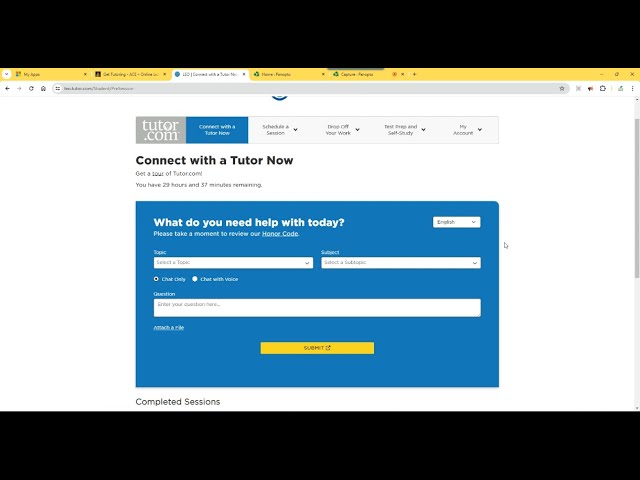
Can’t make it to an appointment in with an ACE tutor? Connect to Tutor.com for 24/7 online tutoring support. Spanish language tutoring is also available.
Note to current students: If you have any issues getting connected, please email ace@clevelandcc.edu
Get connected:
- Log into your course in Blackboard.
- Click on “Get Tutoring” link in course menu to access your FREE Tutor.com account.
- Connect with a tutor immediately, schedule a future session, submit a paper for review, or take a practice quiz!
Tutor.com is closed New Year’s Day, Independence Day, Thanksgiving, and Christmas Day.